CampusConnect
Empowering students and connecting campus communities through a single platform.
Overview
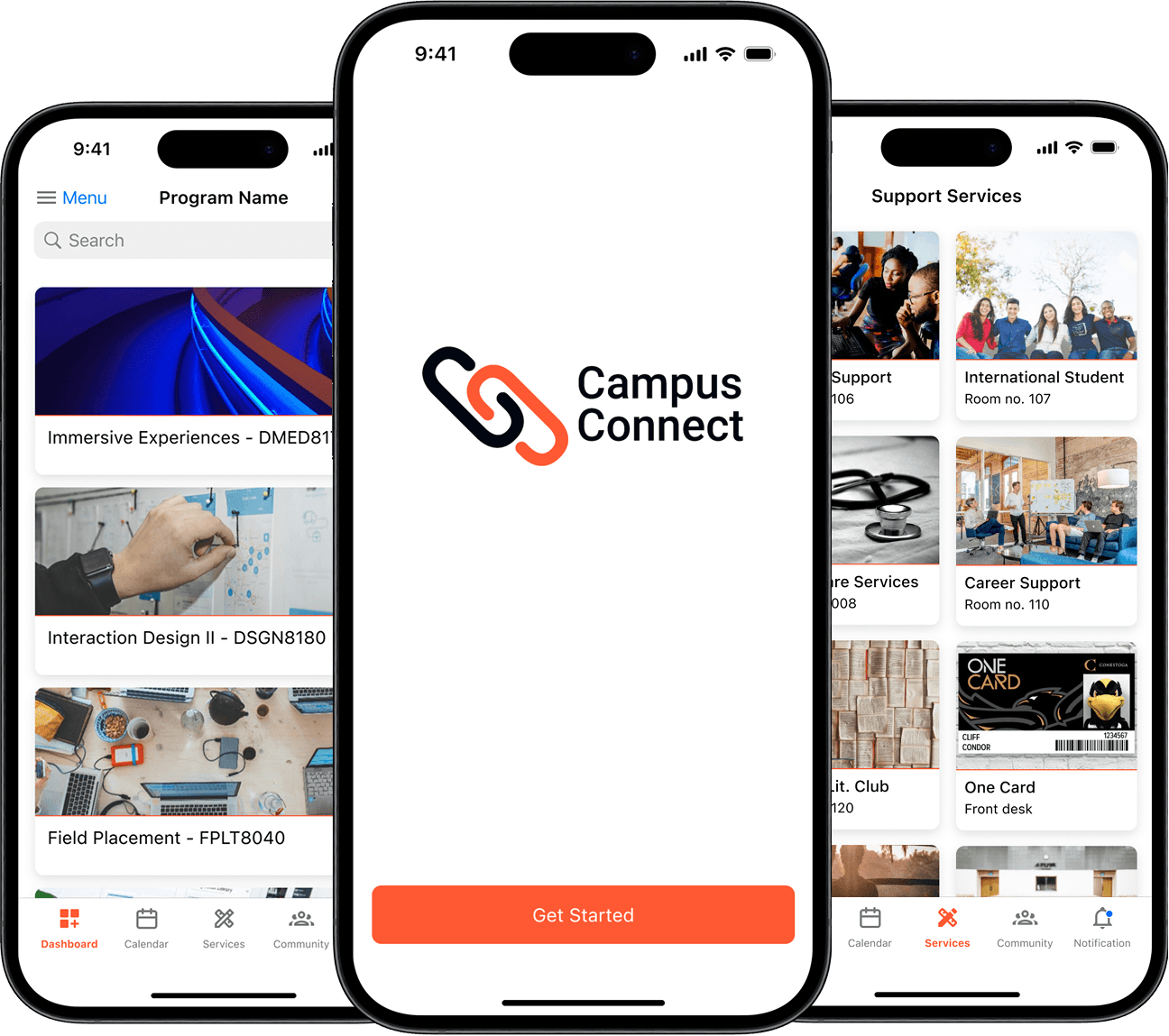
Campus Connect is a mobile app designed to help students integrate smoothly into college life. By centralizing resources like schedules, announcements, and support services, it reduces stress, eliminates confusion from fragmented apps, and fosters stronger campus connections.
UX/UI Designer
5
4 Months
Problem
Students juggle multiple apps for schedules, announcements, and support.
Fragmented systems lead to missed deadlines, confusion, and isolation.
No single platform to connect with peers or access resources easily.

Solution
A centralized mobile app that:
Integrates with existing college systems.
Provides class schedules, announcements, events, and student support in one place.
Personalizes the experience, reducing stress and boosting engagement.

Before (scattered apps) vs. After (Campus Connect all-in-one screen).
User Research
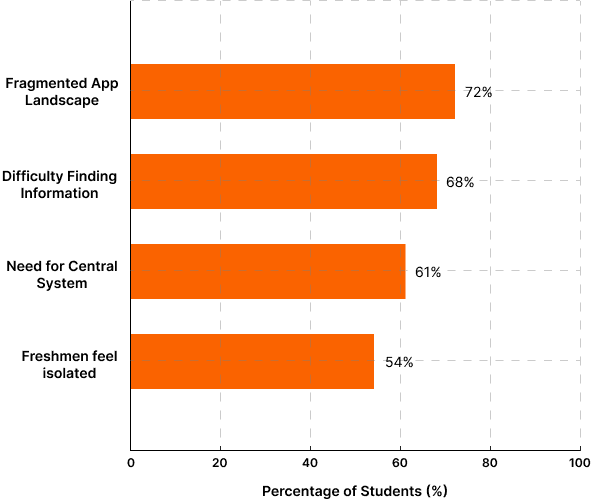
Surveys, interviews, and usability testing revealed the following:
72% felt overwhelmed by the fragmented app landscape.
68% struggled to find information quickly.
61% wanted a centralized communication hub.
54% of freshmen felt isolated or disconnected.
Conclusion: A centralized, user-friendly platform is needed to streamline resources, improve communication, and foster student connections.
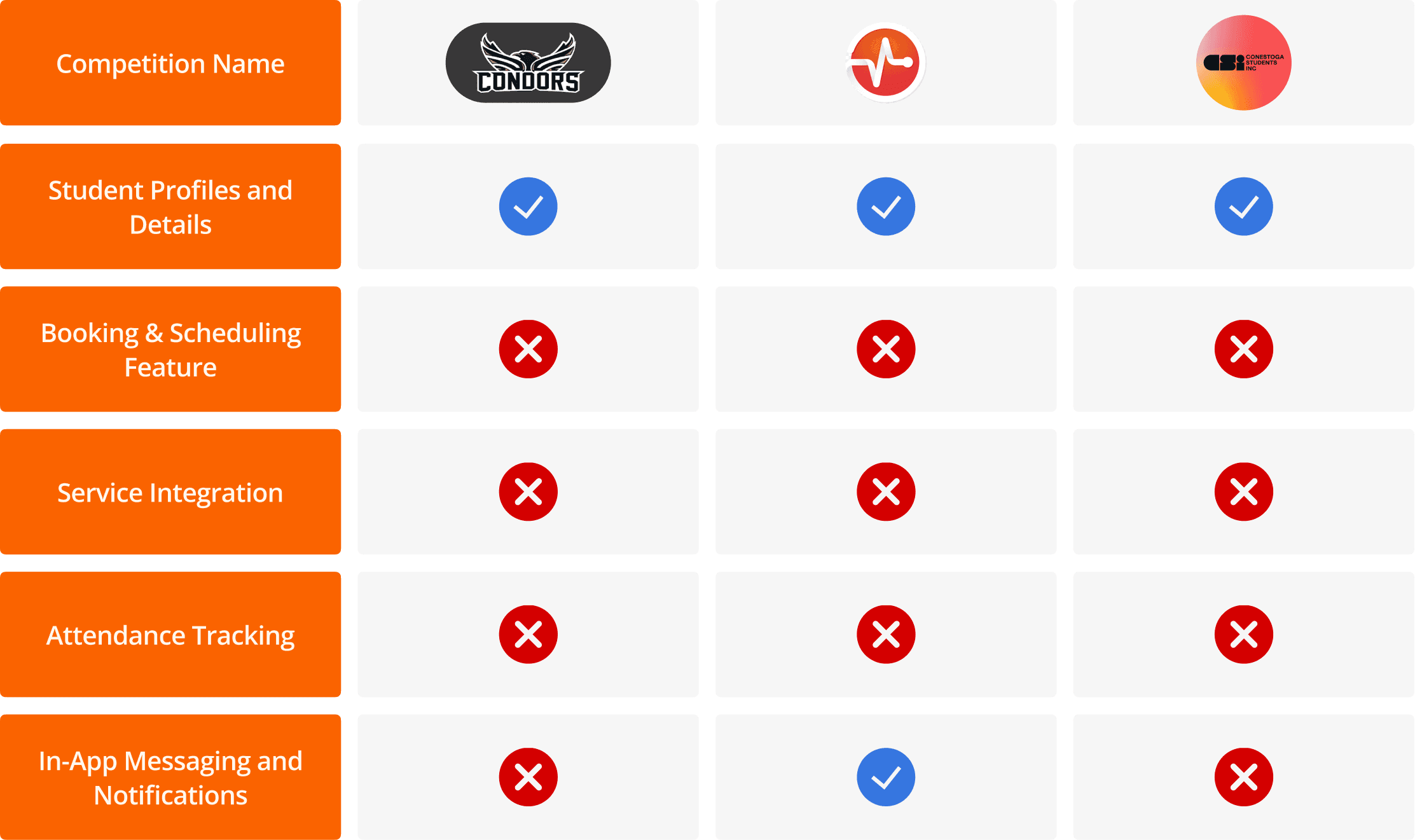
Competitive Analysis
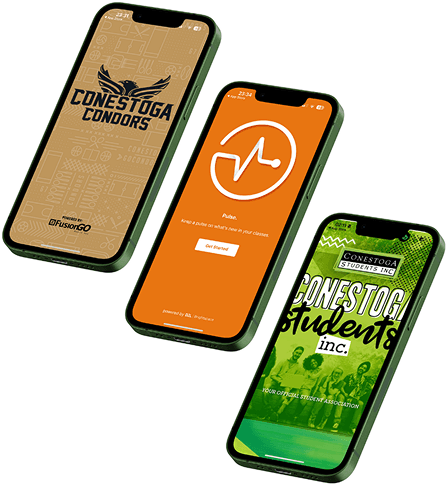
Existing platforms lacked integration, personalization, and community-building.
Campus Connect differentiates by offering a holistic solution that blends academics, resources, and social connections.
User Persona
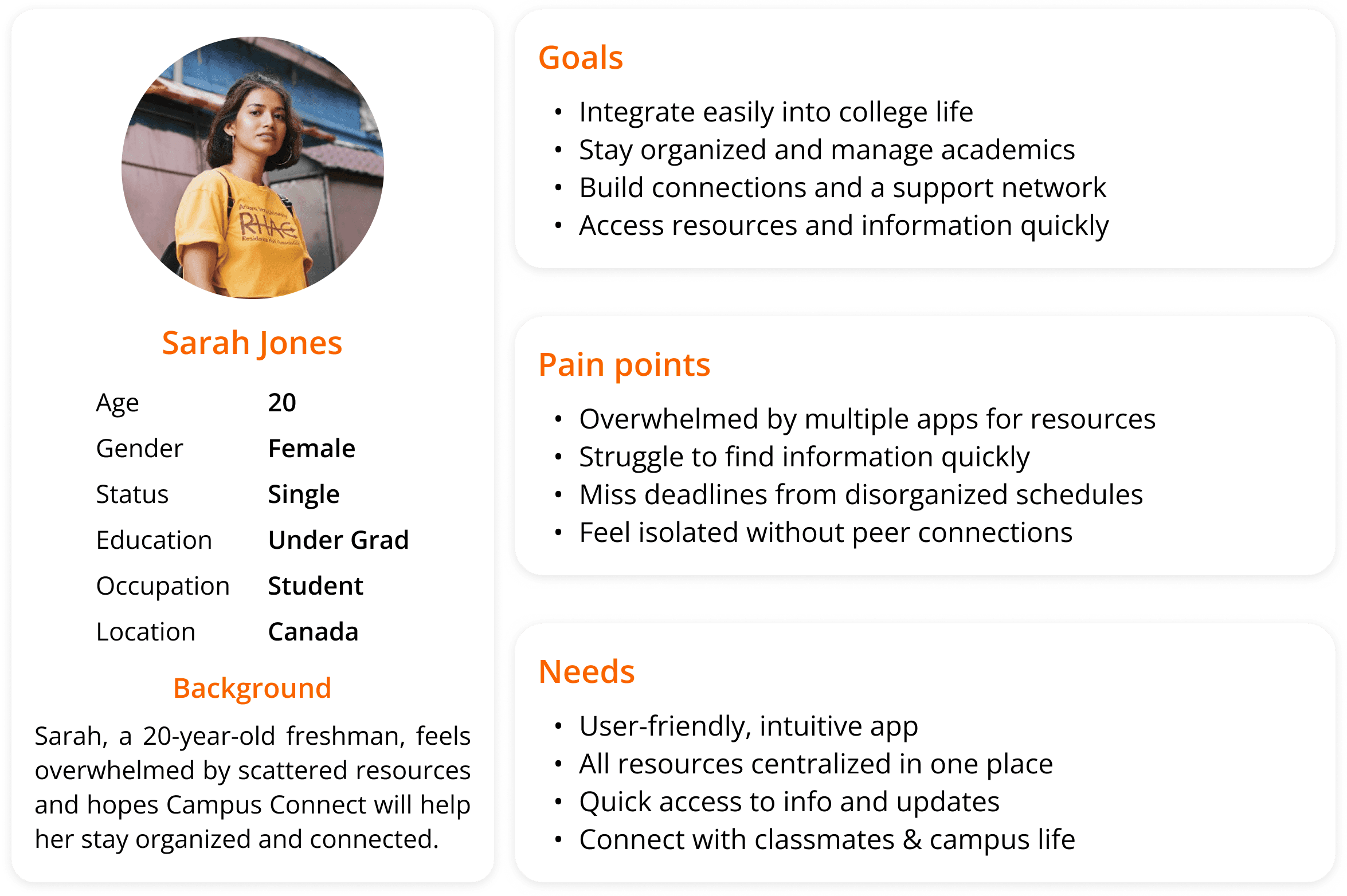
Sarah Jones, 20 | College Freshman
Excited yet overwhelmed.
Struggles with multiple apps, missing deadlines, and feeling disconnected.
Needs: intuitive app, all resources in one place, easy way to stay connected.
Design Process
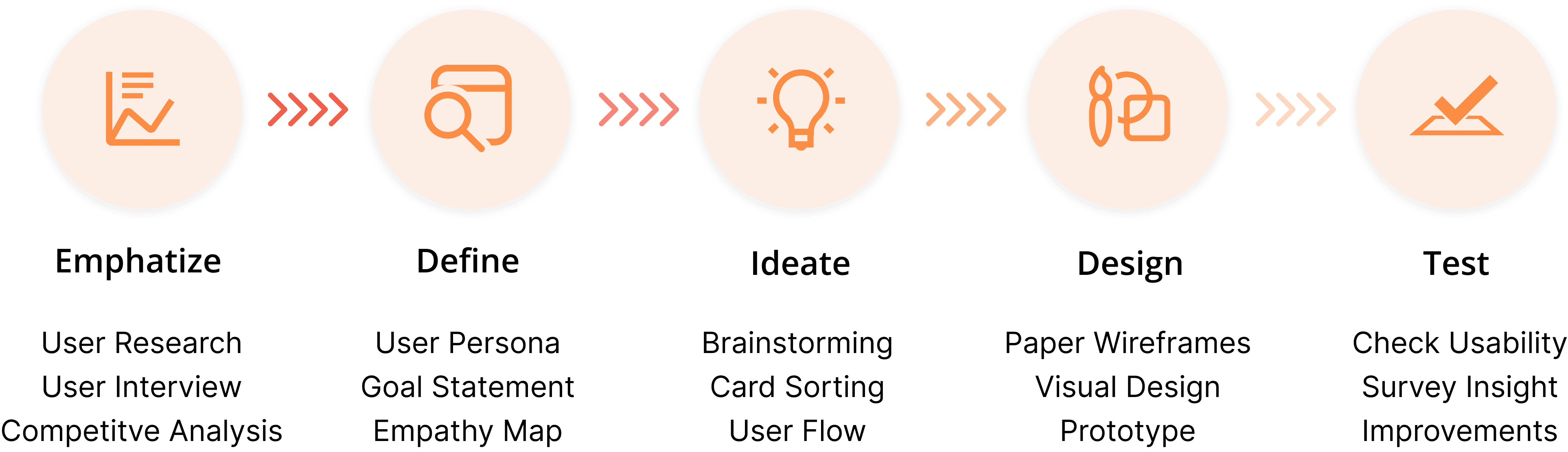
A User Centered design process was employed, prioritizing in-depth user research and iterative testing cycles. This ensured the development of an intuitive interface that effectively caters to the diverse needs of the student population.
Design Highlights
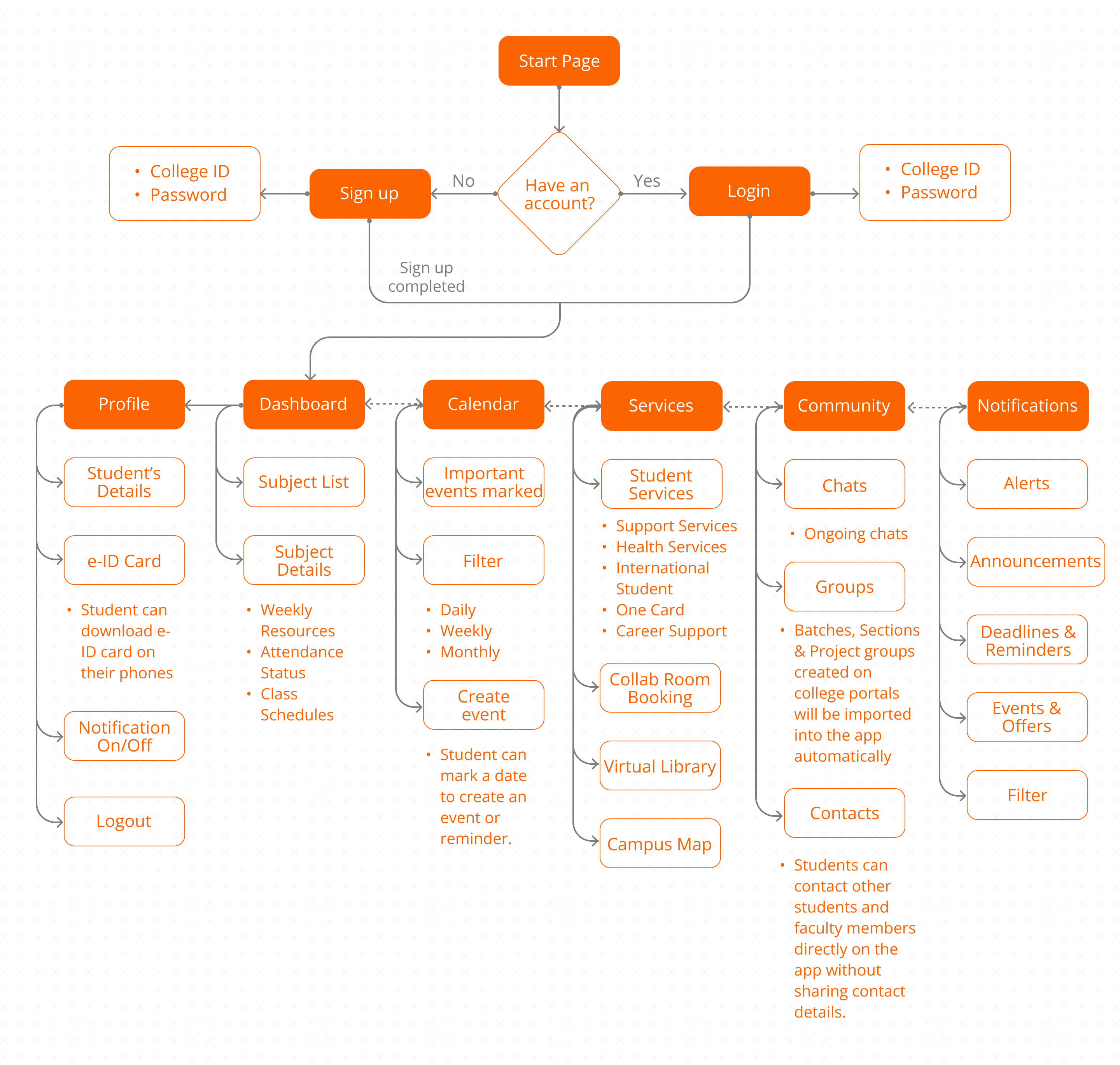
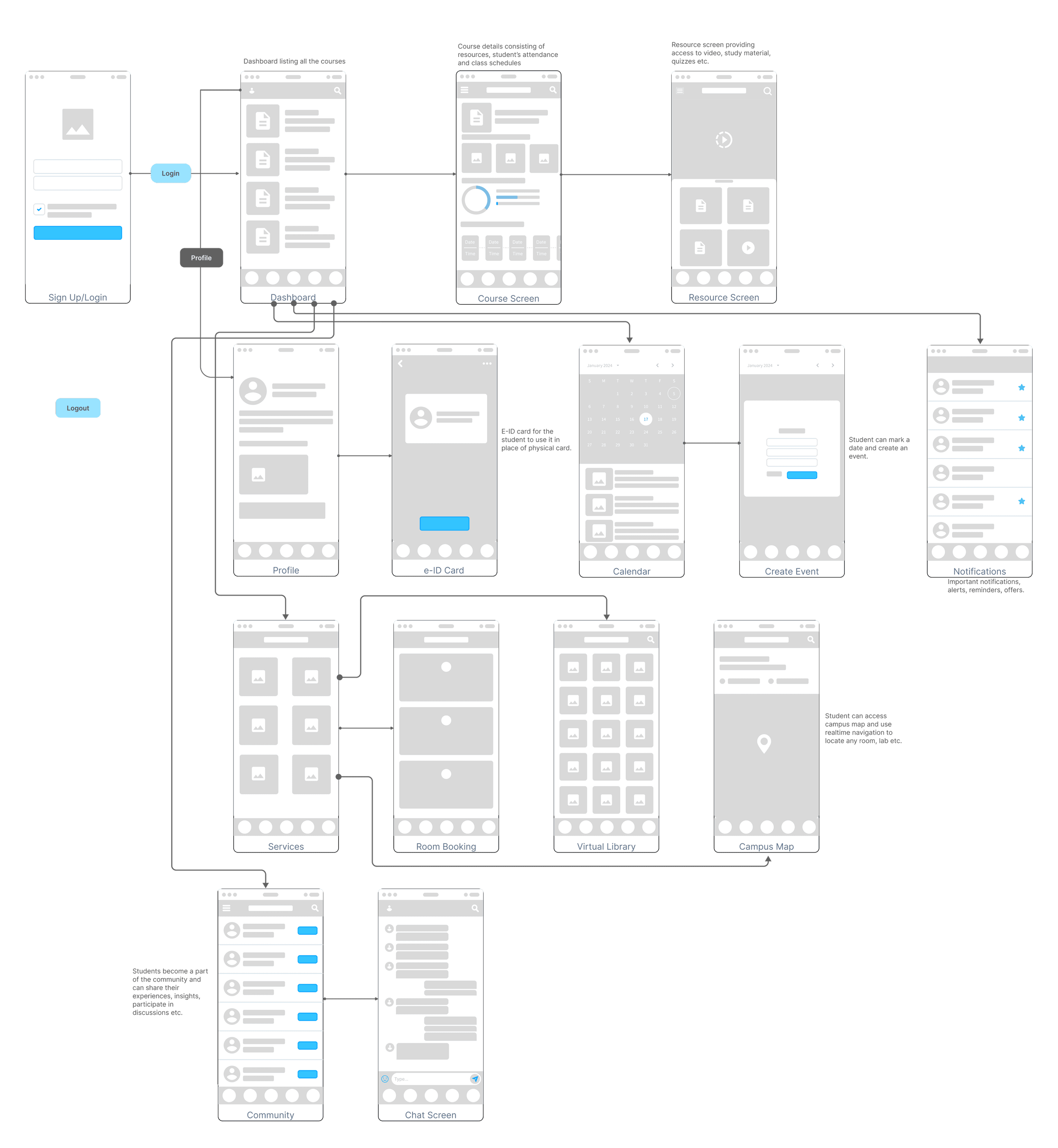
The design evolved from low-fidelity sketches to high-fidelity prototypes, focusing on usability and consistency:
Information Architecture → Structured for quick navigation and easy recruiter workflows.
Wireframes & Prototypes → Iterated across multiple levels of fidelity to validate ideas early.
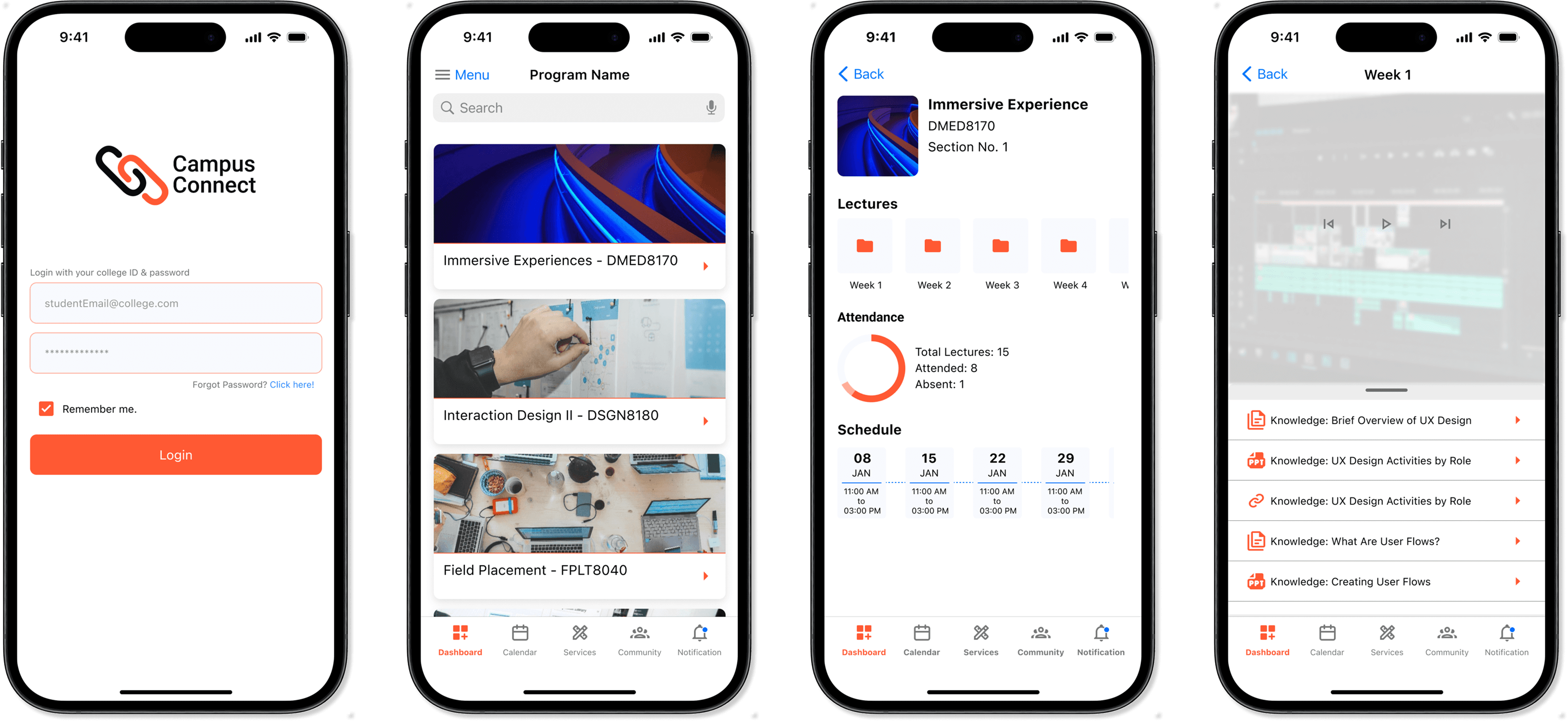
Dashboard
Your personalized hub with a snapshot of classes, announcements, and quick links — designed to keep students focused and informed.
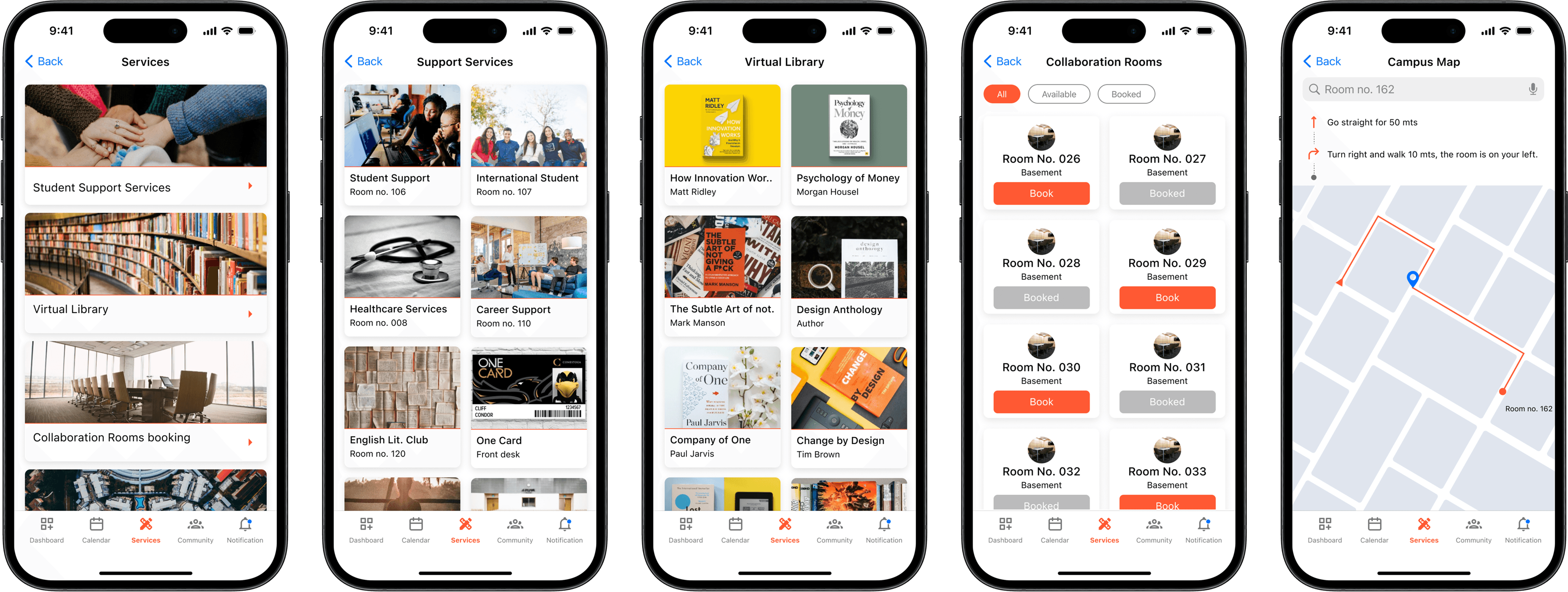
Services
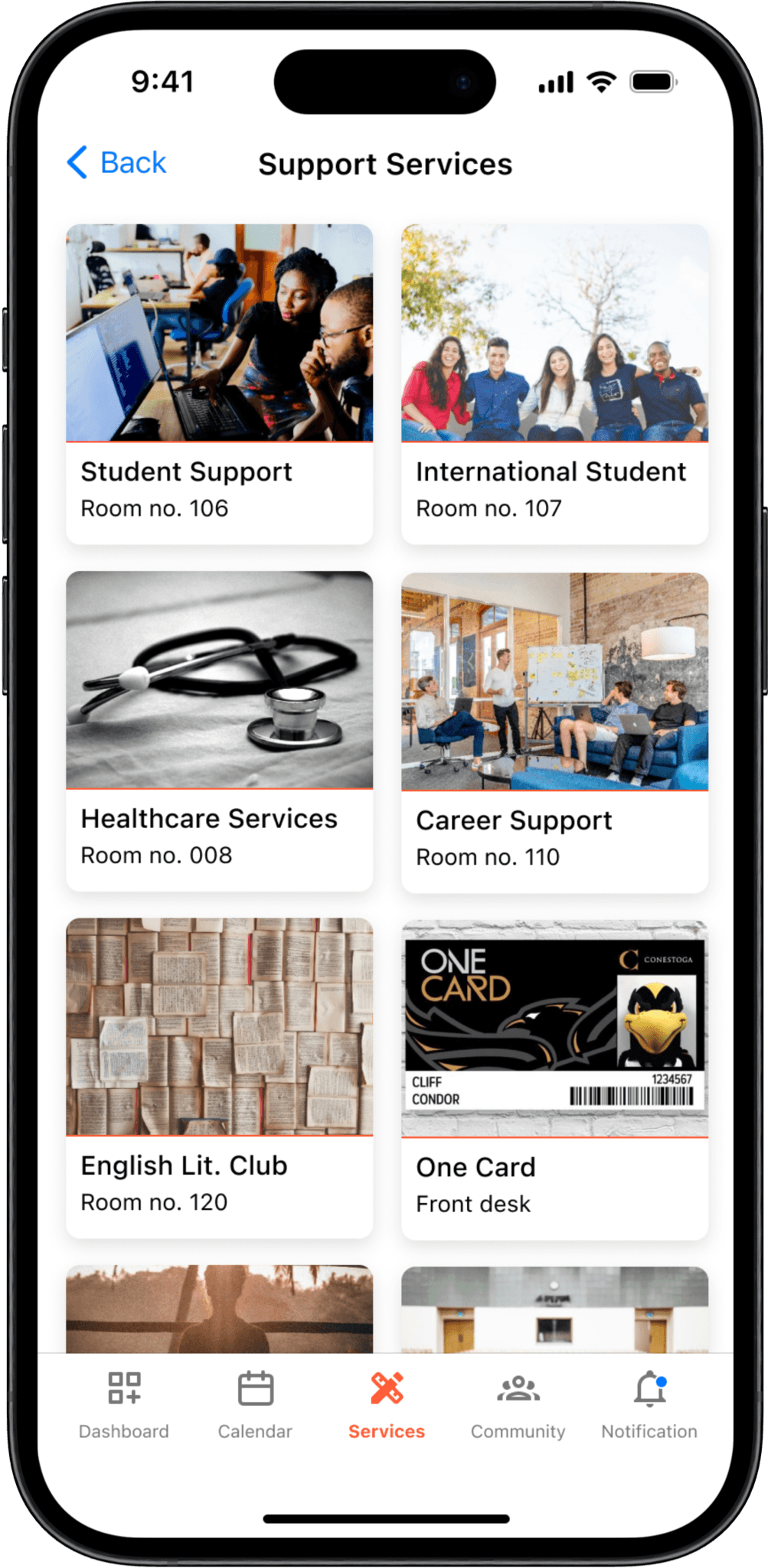
One-stop access to essential student services like support requests, resources, and campus facilities, all at your fingertips.
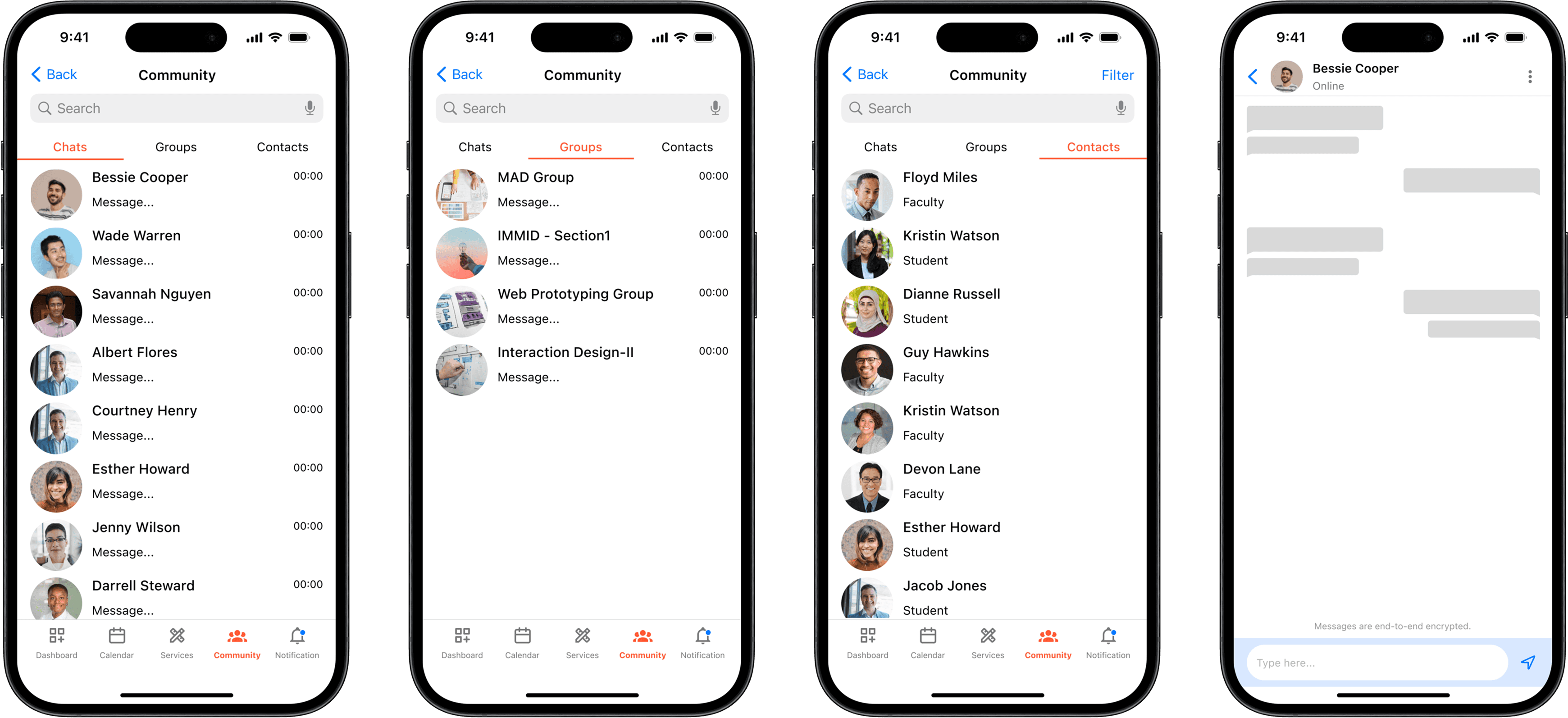
Community
A social space to connect with peers, join groups, and engage in campus discussions — fostering collaboration and belonging.
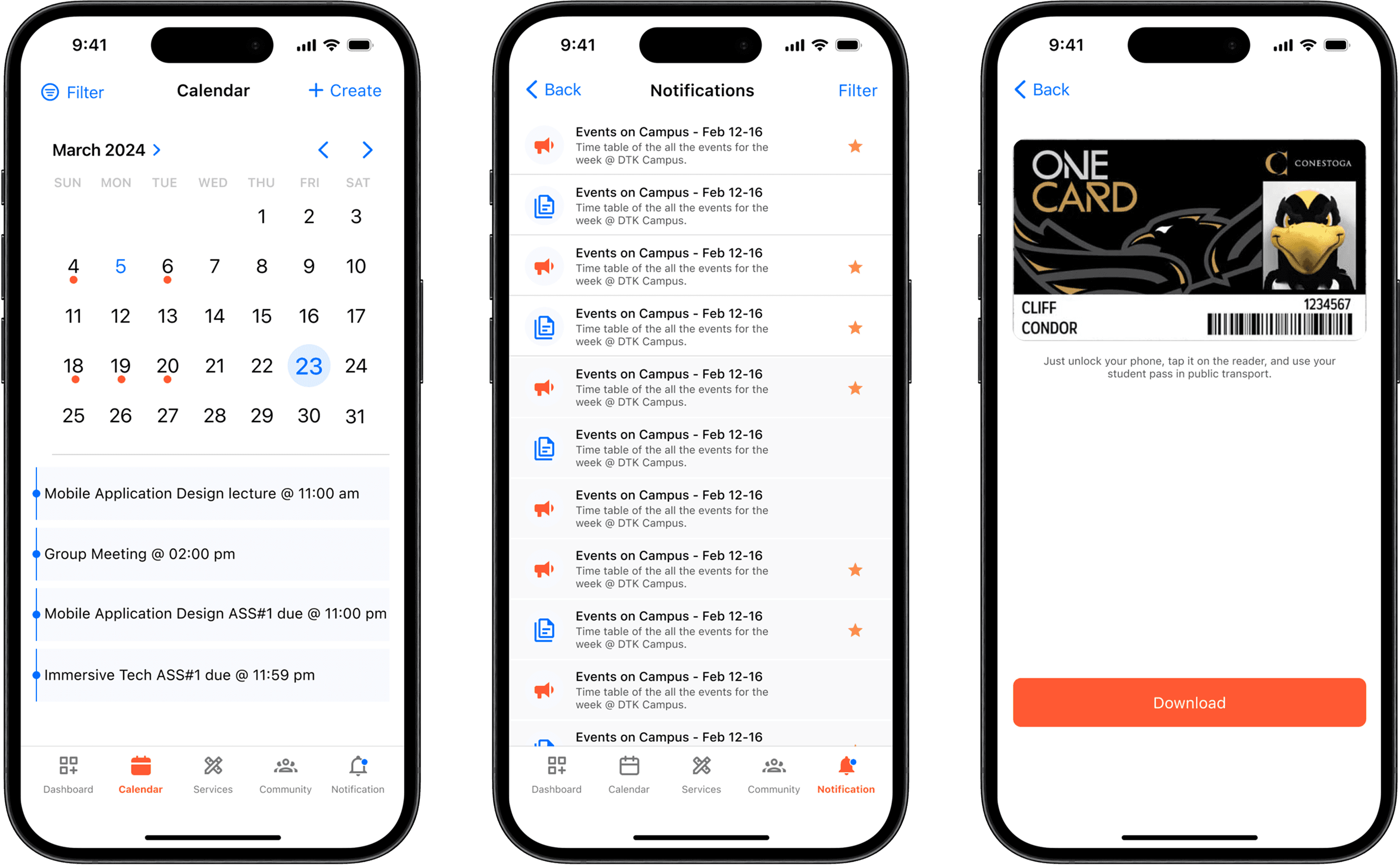
Calendar, Notification & Virtual ID Card
A unified academic calendar that syncs class schedules, exams, and events, making planning and time management effortless.
Timely alerts for schedule changes, new announcements, and important updates, ensuring students never miss what matters.
A secure digital student ID, accessible anytime, eliminating the need to carry a physical card while ensuring easy verification on campus.
Design Impact
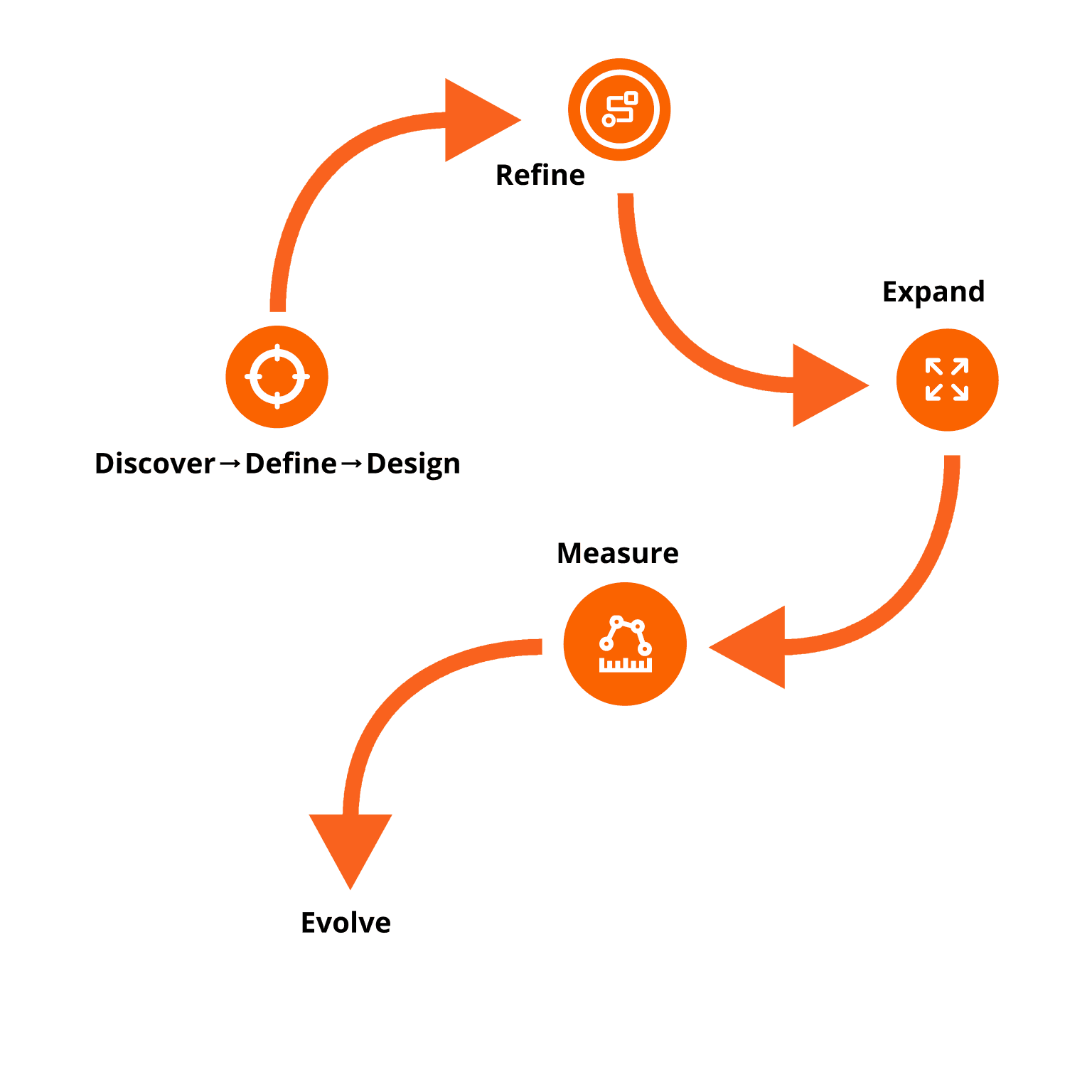
Future Roadmap
Refine: Continuous feedback & A/B testing.
Expand: Multi-campus platform & local partnerships.
Measure: Track adoption, engagement, retention, and impact on success.
Evolve: Use insights from metrics to introduce new features, adapt to change student needs, and future-proof the platform
Conclusion
Campus Connect transforms the college experience by bridging fragmented systems into one intuitive, student-centered platform. It empowers students to succeed, connect, and feel supported — from day one on campus.